
Shot List Pro
Shot list Pro MVP
PROJECT
Role: Sole UX Designer
Deliverables: Hi-Fi Mockups, Prototype
Design System: New, Borrowed
Device: Mobile iOS/Android
CHALLENGE
Photographers in the field, collecting media for the new Homes.com project, needed a way to access the shot list provided by writers.
The shot list is a component in the Web Enterprise application that told photographers where to go, and what to shoot. So if they were supposed to shoot a park, what features in the park were going to be written about? Those features needed to be photographed.
Because contractors weren’t allowed to access our databases we needed to quickly stand up a separate mobile app, instead of integrating with our existing mobile apps.
We needed it designed AND developed in one sprint, so I got to work.
I skipped animations with this prototype, since it was easier and faster to collaborate with the developer directly. This was enough to have a conversation and get things moving.
ACTION
I designed this application from scratch in two days, handed it to the developer, and with a bit of discussion, he was able to get going.
It’s a simple application, though parts of it get complex. Users are able to see the projects they have, then drill down into the parks, schools, and neighborhood shot lists to see the individual shot details. I advocated heavily for having a map view for all of their projects and assignments, but it was out of scope.
From the shot details, they are to mark a shot as “completed” or “can’t complete”, which allows them to add a note.
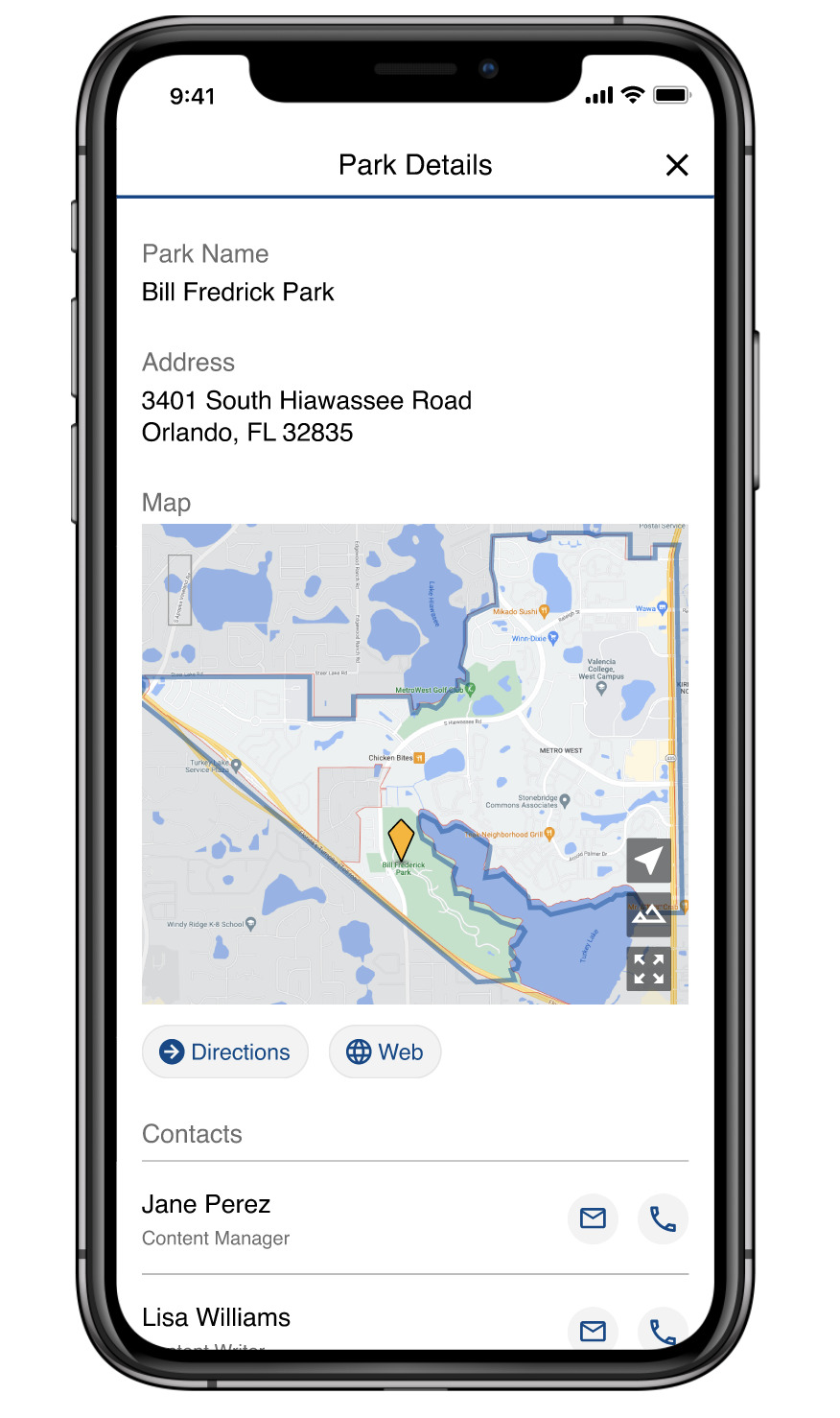
They can also access general details about the entity (park, school, or neighborhood), including a website and map directions if these elements were provided by the writer, as well as team contact list and any written content for the entity. If they need to add a shot from the field, they can do that too.
I borrowed heavily from the Web Enterprise design system, adapting it for mobile and making it my own, since there was no mobile version of the site and the products needed to look related.
Naming the application proved to be the most challenging and contentious part of this project. We eventually settled on “Shot List Pro” as a tongue-in-cheek nod to our legacy apps which all ended in “Pro”…for some reason.
Because there were no contractors yet hired for these positions, and the workflow had not kicked off yet, there was little user feedback I could collect. We did have photographers on staff, so I used them as a proxy, even though they were working in a very different way. I set up a meeting and with some explanation, I was able to get them to imagine the context. There weren’t too many call-outs from them, mostly questions about the process. We would have to go with it.
RESULT
Working closely with the developer allowed me to fine tune things as they were being made, so the final product actually came out a little better than the prototype, which was nice.
Shot List Pro served its purpose – photographers in the field were able to view and manage their shot lists. We continued to support the app, keeping close contact with our users, and providing what features we could with our limited resources, but we knew from the beginning that Shot List Pro would eventually be sunsetted. Before I left CoStar, I designed the integration that would lay it to rest. RIP.
The more heartbreaking thing about this project was that not long after its release, the business process changed dramatically (see Workflow MVP). The business had assumed that researchers would be working in tight-knit teams, completing all of the entities inside of a set of neighborhoods before moving on. We had no choice but to take their word for it.
However, the realities were much messier and it became impractical for users to work hierarchically, which meant the drill down method in the app became a hinderance.
Eventually, the contractors were removed from the equation, allowing us to do a full integration of these features into the very clunky, but well known, legacy photographer apps that provided all of their assignment types in one, making it a better solution overall.
The small style guide and design system that I came up with for this app became the foundation for Web Enterprise Mobile – an initiative that was started with another designer before I left.
As of this writing, much of the neighborhood content has been released to the homes.com consumer facing site. Looking at the page, it’s easy to take for granted the sheer number of people, specializations, effort, and technology that go into bringing this sort of rich media and content to life behind the scenes.
Bellevue neighborhood from homes.com: Bellevue

Content Development Project
CoStar acquired Homes.com, and in early 2022 started renovating the small residential application to compete with Zillow, Redfin, and Realtor.com.
One of the many differentiating features for Homes will be rich content, including descriptions, images, and professional videos for every park, school, and neighborhood across the U.S.
Orchestrating the development of this much content on such an aggressive timeline, was a MASSIVE undertaking with precious few product resources. For the most part, I was the sole designer on this project, which would consume the second half of my two-year tenure at CoStar.

About Costar
CoStar is a commercial real estate data company, providing hundreds of data points across millions of commercial properties across the U.S. and the world. It also provides a variety of services and news through several consumer facing sites.
CoStar is listed on the NASDAQ 100 and the S&P 500, has an annual revenue of approx. $2.18B, and has 5,000+ employees.
My main role at CoStar was to provide UX design for their internal applications, but I also provided strategy and research where I could.
To collect the massive amounts of data that CoStar owns and trades, it employees an army of researchers, both in the office calling people and on the ground collecting photos. My job was to provide UX for the myriad of legacy research applications researchers used to write to our database.
Recent Comments